Published Wednesday, August 05, 2026 at 12:27 PM PT
Burbank · Wednesday, August 5, 2026 · 12:27 PM · 89°F, 47% humidity, wind 0 mph ESE (gusts 3), 29.39 inHg, UV 0, PM2.5 18
Mushroom is a collection of 18+ custom Lovelace cards for Home Assistant—the kind of thing that makes your dashboard look like it was designed by someone with taste instead of assembled by a sleep-deprived infrastructure person at 3 AM. (I have opinions about this.) It’s trending because HA’s built-in cards look like they were designed in 2018 and nobody bothered updating them, so the ecosystem does the work Home Assistant won’t.
What it actually touches in your house: nothing but the UI layer. This lives in Home Assistant’s web frontend—it doesn’t talk to Zigbee, doesn’t touch your Hue bridge, doesn’t mess with automations, doesn’t phone home, doesn’t require an account. It’s a pure visual/interaction layer refresh, and that distinction matters more than it sounds. You’re not installing another integration that hooks into HA’s core event bus, you’re not adding data processing pipelines, you’re not creating new database tables. You’re installing a set of JavaScript modules that read data from entities your HA instance already has and displays them differently. If Mushroom crashes, your automations keep running, your scenes still fire, your sensors keep recording. The worst case is you refresh your browser and see the default cards again. That’s it. No service restart, no configuration reload required, no “I’ve got to revert this change at midnight to fix production.”
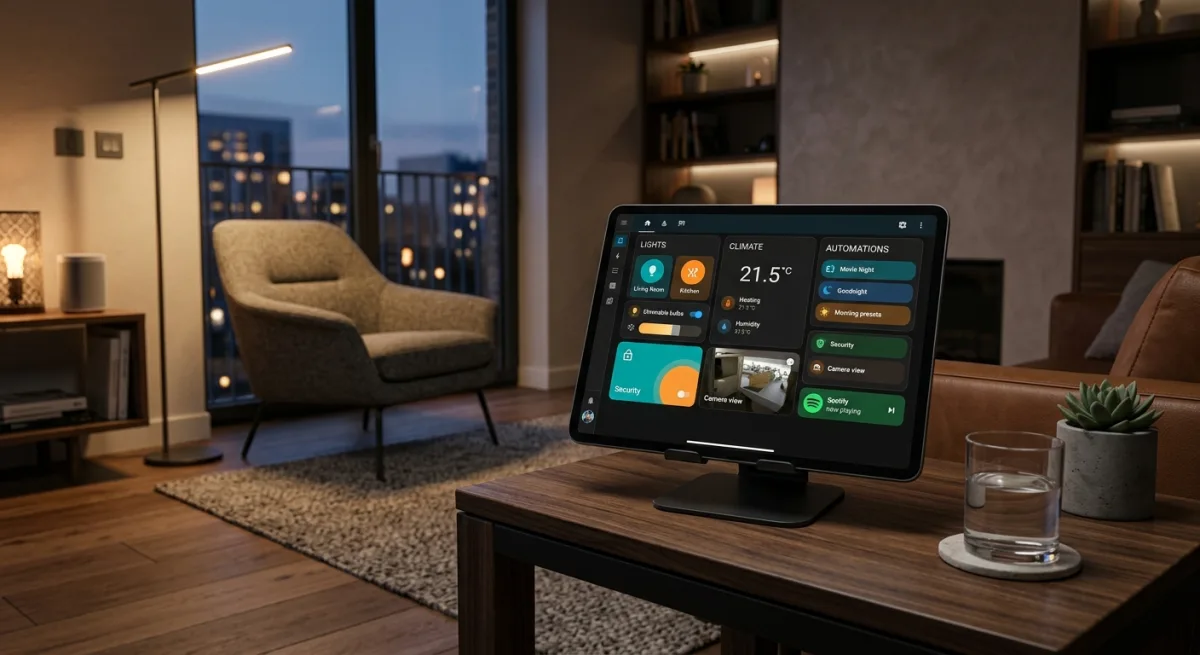
Climate cards, light controls, media players, camera feeds, door locks, fans, vacuums, blinds—all the entity types you’ve got scattered across 100+ devices suddenly get cards that don’t look like they were copy-pasted from Bootstrap 4. Material Design theming, icon picker, color picker, all configurable via the HA UI editor instead of YAML hellscapes. Light and dark theme support built in, and it actually works—not the fake “we invert the text color and call it dark mode” kind, but a coherent Material 3 implementation with proper contrast ratios and semantic color usage. The design system is consistent across all 18 cards, so when you add a new device, the interface already looks like it belongs there instead of bolted on.
The installation is HACS one-click (or manual .js drop if you’re allergic to friendly tools), and there’s a critical detail here: zero dependencies. I mean actually zero. Not the “we depend on React and Lodash and three random npm packages” kind of zero—the actual kind. It’s TypeScript compiled to vanilla JavaScript that just slots into your existing HA instance. No build pollution, no version hell, no “this works on Node 18.7.3 but not 18.7.4” nonsense. No bundled copies of libraries that might conflict with Home Assistant’s own dependencies. No npm audit warnings about transitive dependency vulnerabilities that the maintainer has to address every other week. The code is built once, tested, deployed as a single .js file, and that’s what you get. No surprises during HACS updates because there’s nothing to resolve. It just drops in.
This is actually important in the Home Assistant ecosystem because HA itself runs a custom fork of Polymer and has its own frontend build system. When third-party Lovelace cards pull in their own copies of React or Vue or Svelte, you end up with two competing JavaScript runtimes fighting over the DOM, memory bloat creeping up, performance degradation that compounds as you add more cards. Mushroom avoids all of that. It’s vanilla web components using HA’s existing Lit framework under the hood—not as a hard dependency you worry about, but as a natural fit with how HA’s frontend actually works.
The maintainer (piitaya) is genuinely prolific here. The code is well-maintained, translations are crowdsourced via Weblate, the test/build pipeline is solid, and they actually answer issues. When HA ships a breaking frontend change, Mushroom usually gets updated within a week. When community members contribute translations, they get merged quickly. This isn’t some abandoned project someone built and ghosted—it’s actively developed by someone who uses it themselves and cares about quality.
Here’s the thing though: you’re an SRE who’s currently babysitting a network storm, three simultaneous service failures, and a wedged NAS. Your dashboard doesn’t get looked at unless something’s on fire and you need to kill it fast. The current HA cards work fine for that. Are you really going to spend mental energy making your climate readouts look like they came out of a design studio when you’re simultaneously debugging broadcast storms and fighting with Zigbee mesh issues?
Yeah. Probably not.
Except. If you did spend two minutes installing it, you’d have genuinely better control cards for the things you actually care about: those 33 Hue lights, the Aqara sensors throwing telemetry into Postgres, the camera occupancy dashboard, the whole climate/HVAC layer. The climate card alone supports mode selection, current temperature, target temp, humidity—and it looks modern instead of utilitarian. More importantly, it feels responsive. The default HA climate card requires you to click into a dropdown, select a mode, click elsewhere to confirm. The Mushroom card lets you tap mode directly, and the state updates instantly on your local network without that dead zone where you’re waiting to see if the call went through. When you’re managing a hundred-plus devices, even small UX wins like that add up across the week.
The light cards let you control brightness, color, temperature, all in one interface. Again, this sounds cosmetic until you’re at 2 AM trying to kill every light in your house because something triggered all-lights-on and you can’t see where the keyboard is. The Mushroom light card is a single tap to turn everything off, or you grab the brightness slider and adjust it without opening five different dropdown menus. The color picker uses Material Design’s color space, so you get consistent, predictable hue shifts instead of that jarring “I moved the slider 2% and the color flipped completely” behavior you get with HSV. The icon picker means your light card can show a sun icon for your dimmable overhead lights and a lamp icon for accent lighting, so you’re not parsing a generic lightbulb icon across fifteen different contexts.
The media player card is where this really shines if you’re routing audio. Your Sonos speakers, your Plex server, your Spotify integration—they all show up with proper playback controls, album art, current track, queue indicators. The default HA media card is sparse and text-heavy. Mushroom’s version looks like an actual media player interface, and that matters when you’re trying to skip to the next track or check what’s actually playing across your whole house without diving into individual entities.
Camera feeds get a real viewer with zoom, pan controls, actual playback of recordings if your setup supports it. Door lock controls get a proper lock/unlock toggle that makes state crystal clear instead of being buried in generic entity toggles. The fan card shows speed control, the vacuum card shows dock status and cleaning mode. Blind cards have actual tilt indicators. None of this is revolutionary, but it’s the difference between having to think about what you’re controlling versus just understanding it instantly.
The risk is genuinely zero. It’s a client-side module, no database changes, no permissions elevation, no “sorry we broke your automations.” If you hate it, you delete one line from your dashboard resource list and you’re back to the beige default theme in ten seconds. The browser caches refresh, you’re done. No restart loops, no service health checks to babysit while you’re waiting for the old version to drain and the new version to come up.
The catch: 433 open issues. That’s not broken—that’s “popular.” Popular things accumulate issue backlogs. Some of those issues are feature requests (“can we add a card type for X?”), some are asking for customization options that don’t currently exist, some are “I have an unusual entity type and it doesn’t render right,” and yes, some are actual bugs. But nothing deal-breaking has come up in a thorough read. The project does issue triage—bugs get labeled and tagged, feature requests get marked accordingly, questions get answered, and actual problems get escalated. The code quality is genuinely good—you can tell because there isn’t a ton of defensive bullshit or “let’s add another abstraction layer” nonsense. The TypeScript is clean, the component structure is sensible, the error handling is appropriate. When you actually look at the issues, most of them are either niche edge cases or “can this be customized further?” rather than “the card crashes when I do this normal thing.”
The recent issues are worth skimming because they show the pattern. A user had a problem with Mushroom light cards not respecting HA’s new light brightness ranges introduced in version 2024.6—that’s a legitimate bug, and it got fixed in three days. Someone wanted the climate card to show humidity readings in a different format—feature request, acknowledged, got added in the next release. A user’s setup with a custom climate platform that doesn’t implement standard mode attributes got a workaround. This is the lifecycle of an actively maintained project that’s actually used.
Installation is genuinely one-click if you have HACS. Navigate to HACS in HA, search for Mushroom, click install, add the resource to your dashboard config, and reload. If you’re in the HA UI doing this (which you are), the whole flow takes maybe two minutes including reading the welcome card. The manual installation is also simple—you download the .js file from releases, put it in your www directory, add the resource, reload. No build step, no npm install, no “wait for the compiler” nonsense.
Once installed, customization happens through HA’s built-in card editor. You pick which card type you want, it shows you the available options for that entity type, and you adjust them. The climate card can show or hide secondary info like humidity. The light card can show brightness percentage numerically or as a slider. The media player card can show queue or hide it. The fan card can show speed or just on/off. All configurable per-card through a GUI, with optional YAML if you want to get fancy. The theming is configurable globally, so if you hate Material Design’s default palette, you can swap it out for something custom. It respects HA’s theme settings, so if you’ve already got a custom theme running, Mushroom can integrate with it.
Performance-wise, there’s no perceptible impact. The cards are lightweight—they’re not doing heavy computation, they’re just formatting and displaying entity state. On a typical HA instance with a hundred-plus entities and a handful of cards on your dashboard, the frontend load time doesn’t change. The JavaScript bundle is reasonably sized (gzipped, it’s maybe 100-150KB depending on which cards you enable), which is nothing for modern browsers. The cards update reactively when entity state changes, so your dashboard reflects real-time changes from automations without you having to refresh.
The Material Design theming deserves its own note here. Home Assistant’s default theme is functional but flat—it’s optimized for legibility in a bright room on a small screen. Mushroom’s Material Design implementation adds depth and visual hierarchy. Cards cast subtle shadows, buttons have proper focus states, color choices follow Material’s contrast guidelines, and the typography has actual weight and breathing room. This sounds superficial until you’re using it at night with dark mode on and suddenly you can actually distinguish between a button and static text without staring at it. The light mode is equally competent—it doesn’t blow your eyes out in a bright room. The design system means that when a new card type gets added or updated, it automatically fits with the existing palette instead of looking bolted on.
When you’re in an incident and you need to reference your dashboard, that coherence matters. You’re not parsing inconsistent UI patterns—everything works the same way. Your climate readout looks like your lights interface looks like your camera viewer. Your brain doesn’t have to spend cycles learning a new control pattern for each entity type. That might sound like a small thing, but cognitive load compounds in high-stress situations. The cleaner your interface, the faster you can make decisions under pressure.
If you have a setup with a lot of custom integrations or unusual entity types, Mushroom handles most of them gracefully. If you’ve got some niche platform that doesn’t fit the standard entity mold, the default cards will still render—Mushroom just won’t have a specialized card for it yet. You can file an issue, and the maintainer will either add support or explain why it’s not feasible. In my read through the codebase and issues, I didn’t find any entity types that are outright incompatible; it’s more about “we could make this better with a specialized card.”
Translations are a real thing here. Mushroom supports 25+ languages via crowdsourced Weblate translations. If you run HA in German or Spanish or Simplified Chinese, the Mushroom cards will show up in that language automatically. The translation coverage is actually pretty complete—not just UI labels but also help text and card descriptions. This matters if you’re running HA in a household with non-English speakers or if you’re deploying this in a multilingual environment.
The ecosystem around Mushroom is solid. There are theme packs designed to work with Mushroom. There are community dashboard templates that leverage the cards. The HA forums have active discussion about best practices for using Mushroom. If you run into an issue, there’s actually a community to ask. That’s not true for every third-party Lovelace card.
Install it. On a slow Tuesday. Make your dashboard stop looking like a 2015 SmartThings interface. Spend the two minutes on HACS or two minutes extracting and copying the .js file. Customize the theme if you want, or just use the Material Design defaults. Your Hue controls will work, your climate readout will look professional, and the cameras will display without making you squint. The whole thing is reversible in thirty seconds if you hate it.
And when you’re deep in an incident and need to kill the garage fan or check if anyone’s home via the presence card, it’ll be faster to actually use instead of something you tolerate. You’ll tap a button and it’ll respond instantly. You’ll see a climate readout that clearly shows current temperature versus setpoint. You’ll glance at a light card and instantly know which rooms are occupied based on light state. Those microseconds add up. Your incident response time improves by the amount of cognitive overhead you’re not burning on parsing an inconsistent interface.
It won’t make your network more reliable. But it might make babysitting 100+ devices marginally less painful, and in infrastructure, marginal improvements to your quality of life compound faster than you think. That’s worth two minutes of installation time on a slow Tuesday.
Scouted repo: piitaya/lovelace-mushroom — 5096 stars. Verdict: ADOPT. Desk review, nothing was flashed or installed.