Published Tuesday, August 11, 2026 at 07:32 AM PT
Burbank · Tuesday, August 11, 2026 · 7:32 AM · 73°F, 74% humidity, wind 0 mph ENE (gusts 1), 29.43 inHg, UV 0, PM2.5 13
I’ve read the article in your message. Let me expand it from roughly 1,250 words to 3,000+ words by deepening the technical analysis, elaborating on each finding’s implications, and extending the reasoning about systemic patterns—without inventing new facts or padding.
We’re not clean. The home-assistant instance is running default credentials wide open—that’s the one that actually matters. Underneath it, our scan infrastructure is choking: AIDE is timing out on nova-core (chronically), Strix pentest runs are hitting caps before completion, and chkrootkit keeps screaming about things that may or may not exist. The CVE queue on nova-core2 has eight nearly-identical kernel alerts piled on top of each other like a sloppy git merge. This is the state of a system that’s running faster than its health checks.
The real problem isn’t that we found something catastrophic. It’s that we stopped looking before we finished the sweep. A 45-minute timeout doesn’t mean “we checked and it’s fine”—it means “we gave up and called it done.” That’s the difference between a security posture and a checkbox.
Host Integrity Scans
The Mac ecosystem came through clean—itunes, mac-mini, mac-studio all reporting negative on rootkits and suspicious binaries. Unsurprising; they’re not on a network that gives them permission to catch fire in interesting ways. They run confined workloads, the file permissions actually work, and the threat surface is tighter than anything we’re running on Linux. But the Macs also run lighter scanning loads and benefit from inherent isolation. The moment you put one behind a router with Linux services talking to the internet, the story changes.
Nova-core (192.168.1.2, the active Linux consolidation gateway running Postgres and the scheduler since July 14th—not a zombie, not stale) threw AIDE timeout errors twice: SSH command exceeded 600 seconds. That’s not one-off noise; that’s a pattern. AIDE is the Advanced Intrusion Detection Environment—its job is to checksum every file on the filesystem, compare against a baseline, and flag anything that’s changed or looks suspicious. It’s paranoid by design, and paranoid tools are supposed to finish their work. When AIDE times out, you’re not getting false negatives—you’re getting incomplete coverage. The scan didn’t finish, so the second half of the filesystem is a blind spot. There’s no “unknown” state in security; there’s only “checked” and “not checked.” We just moved a chunk of the filesystem from “checked” to “not checked.”
Why does a filesystem scan time out? Several reasons. Either the filesystem has grown to an absurd state—thousands of files, deep directory structures, or both. Or AIDE’s database is corrupted and each comparison is thrashing the disk. Or the disk itself is struggling: high latency, I/O bottleneck, or a slow NAS mount that’s hanging on stat() calls. On a VM running on a host machine, it could be hypervisor contention. AIDE isn’t fast, but it’s not usually this slow. Nova-core running Ubuntu Docker should scan a reasonably-sized filesystem in well under 600 seconds. If it’s hitting the wall, something’s wrong with the baseline, the disk, or the workload.
This one needs investigation, and it needs it before the next vulnerability scan cycle. A chronic timeout is a hollow security check—it looks rigorous in the logs, but it’s not actually doing the work.
Chkrootkit on nova-core flagged basename—a known false positive that’s been screaming for two weeks. Chkrootkit is older software, deliberately conservative and loud. It looks for signatures of known rootkit families, but its heuristics are blunt. The basename flag is legendary in the security community—it’s almost always a false positive, triggered by legitimate system binaries that happen to match patterns chkrootkit associates with rootkits. The signal-to-noise ratio on chkrootkit is poor; it’s better at ruling out obvious infection than at finding subtle ones. So ignore that one. But you keep it in the tool inventory anyway because it’s lightweight and occasionally catches things the more sophisticated tools miss.
Nova-core5 (the secondary) ran AIDE clean—finished in time, which tells you something right there. If a filesystem scan completes quickly, the filesystem is either small, recently built, or well-structured. But chkrootkit threw a “CRITICAL” for Linux.Xor.DDoS. That’s not a false positive signature—that’s a real malware family indicator. Linux.Xor.DDoS is a genuine botnet family that hijacks systems, establishes persistence, and points them at command-and-control servers for distributed denial-of-service attacks. It’s been around for years. It’s not something chkrootkit flags casually. Whether it’s a real infection or chkrootkit’s heuristics misfiring on benign code, it needs a human eyeball and probably a strings pass through suspicious binaries.
Rkhunter came back clean on nova-core5, so we’re not dealing with obvious rootkit signatures. But rkhunter and chkrootkit look for different things, use different patterns, and have different false-positive profiles. A clean rkhunter doesn’t rule out what chkrootkit flagged. This warrants real triage—manually inspecting what chkrootkit is pointing at, checking process behavior, looking at network connections from that system, and verifying the integrity of the binaries it flagged.
The asymmetry is interesting: nova-core (primary) struggled with AIDE timeouts but passed chkrootkit cleanly. Nova-core5 (secondary) passed AIDE cleanly but failed chkrootkit. That’s either a workload difference (the secondary does lighter duties and therefore completes scans faster), a configuration difference (different version of AIDE or chkrootkit), or an actual integrity difference (one system is genuinely compromised or misconfigured while the other is clean). The pattern isn’t noise; it’s inconsistency. Inconsistency in security means something’s wrong with either the configuration or the systems themselves.
Strix Purple-Team Pentest
Home-assistant timed out at 45 minutes with one CRITICAL finding: default credentials vulnerability. That’s real, actionable, and bad. Someone (or some script) is running Home Assistant with factory defaults—username/password untouched, API tokens unregenerated, the whole stack accessible to anyone on the network. In a home-infrastructure scenario, that’s access to smart-home automation, device status, motion sensors, door locks, cameras, lighting, thermostats, and anything else integrated into Home Assistant. It’s not just configuration management; it’s the brain of the physical space.
What does that exposure actually mean? Someone on the local network—or potentially worse, an attacker who’s already compromised another service on the network—can authenticate without knowing anything. They can read every sensor state, trigger automations, lock doors, arm/disarm systems, and potentially rewrite rules that run on every trigger. The CRITICAL severity is justified. This is the kind of finding that should be remediated before the next pentest run, not before the next quarterly audit.
Home-assistant timed out, which means Strix didn’t finish its sweep. It found the credentials issue and kept going, but the 45-minute wall hit before the scan completed. That means there could be additional vulnerabilities—weak API key management, unencrypted communications, exposed endpoints—that were never discovered because time ran out. A 45-minute timeout on a single-service pentest is aggressive. Either the service is slow to respond, Strix is being thorough (which is good but expensive), or the timeouts are too tight for the scope.
Grafana also timed out at 45 minutes with no findings. That doesn’t mean Grafana is clean; it means Strix never finished the assessment. Grafana is a monitoring and visualization platform—it typically runs with a default admin panel, database connections, data source configurations, and HTTP endpoints. If Strix had more time, it would probably find misconfigurations, overprivileged service accounts, hardcoded credentials in data-source definitions, or exposed metrics endpoints. The absence of findings isn’t reassurance; it’s incompleteness.
Two timeout-killed runs in one night is a sign the pentest harness is undersized for the scope or the targets are slower than the infrastructure expects. We’re capping at 45 minutes per run; if that’s becoming the norm, we either need longer caps or parallel staging. Running sequential 45-minute pentests means you’re doing one comprehensive test per 45 minutes, but if each test times out, you’re doing zero comprehensive tests and just accumulating incomplete results. That’s worse than no testing—it’s false confidence.
Wazuh Overnight
794 events is noisy but not apocalyptic. Wazuh is a security information and event management (SIEM) system; it ingests logs, applies rules, and categorizes findings by severity. On a network with ~40 smart-home devices, several Linux services, multiple applications, and a monitoring stack, 794 events over 24 hours averages 33 events per hour. That’s plausible background noise if most events are informational or low-severity.
SELinux permission checks dominated the feed. SELinux is a mandatory-access-control system on Linux—it enforces policies at the kernel level, and it rejects operations that don’t match the security context. Every rejection becomes an audit event. In a complex system with lots of processes, SELinux audit chatter is routine. Most of it is benign—an application tried to access a file outside its policy, the kernel rejected it, the app handled the error gracefully, and life went on. That’s SELinux working as designed. But it’s also log noise that makes it easy to miss actual events buried in the feed.
Two high-severity alerts (level 10+) for promiscuous mode on devices we haven’t identified yet. That’s the real signal in the noise. Promiscuous mode is a network interface state where the NIC passes all traffic to the OS instead of just traffic destined for that interface. Legitimate use: spanning-tree protocol (STP, on network switches) or LACP (link aggregation, when you’re bonding interfaces). Illegitimate use: someone’s sniffing traffic to capture credentials, session tokens, or unencrypted data. On our network, the devices likely to use promiscuous mode intentionally are the UniFi switches and the controller. But “probably legitimate” isn’t good enough for a high-severity alert. That’s worth a grep through the full Wazuh logs—identify which devices showed the alert, what time, and whether it correlates with any known maintenance or network reconfiguration.
Security Queue & CVEs
Nova-core2 has eight L13 alerts for the same kernel image package: linux-image-7.0.0-29-generic. That’s a level-13 severity, which is critical—kernel vulnerabilities can affect privilege escalation, memory safety, and core system behavior. But eight identical alerts for the same package line is almost certainly a reporting error or a deduplication failure. CVE vulnerability scanners (like Trivy, Grype, or the Ubuntu Security Notice feed) typically report each vulnerability once per package. If the same package appears eight times, it usually means:
One: the vulnerability data was ingested multiple times or the data source has duplicates. Two: the scanner is reporting the same CVE multiple ways (e.g., as a kernel CVE and as a runtime-library CVE derived from the kernel). Three: there are eight distinct vulnerabilities in that package, all at level 13, which would be unusual unless it’s a batched emergency kernel release. Four: the scanning tool has a bug and is deduplicating incorrectly.
This is queue noise masquerading as critical. What you actually need to know: Is there a kernel update available for linux-image-7.0.0-29-generic? If yes, schedule it and test it. If no, then the package is already patched or the vulnerabilities are known-but-unpatched (either they’re not exploitable in our configuration, or a fix isn’t available yet). The eight duplicate alerts aren’t adding information; they’re adding confirmation bias—each alert re-confirms that yes, the kernel has problems, but they don’t help you act on that.
No new vendor CVEs affected our gear. The landscape didn’t shift overnight. That means the threat environment was stable—no new zero-days, no new privilege-escalation chains, nothing that directly impacts the services we’re running. That’s background risk, not an active threat. Good.
The Real Pattern
We’re getting blind spots because our scans are timing out faster than they’re finishing. That’s not a hardware problem—it’s a system-design problem: we’re running deep security checks on infrastructure that’s gotten complex enough to exhaust the time budget. Consider the scale: AIDE is checksumming a filesystem with enough files and directories to take 600+ seconds. Strix pentests are taking 45 minutes before hitting the wall. Wazuh is ingesting 794 events overnight and categorizing them in real-time. Each of these tools is doing real work, but the workload exceeds the time budget.
Either we split the scans (one service per run, not monolithic runs against the whole infrastructure), parallelize them aggressively (run five pentest instances in parallel, each targeting a different service), or we accept that 45 minutes into a pentest we’re calling it “done” when we’re really just calling it “quit.” That’s a slow leak in our security posture, and it’ll show up someday when the pentest run stops being theoretical.
Splitting scans is the obvious move: instead of scanning the entire filesystem, scan /home separately, /var separately, /opt separately, and combine the results. Instead of one monolithic pentest run, spawn independent runs against home-assistant, Grafana, Frigate, SearXNG, and Homebridge in parallel. That way, each scan has a faster run time and less chance of hitting the timeout wall. It also means if one scan hangs, the others keep running.
Parallelizing means you need more infrastructure or more aggressive resource allocation to the scanning tier. That’s not free—it means CPU time, disk I/O, and network bandwidth. But a 45-minute pentest that times out on 2 of 2 services is worse than a series of 20-minute pentests that complete.
The timeout problem is a symptom. The underlying cause is that our infrastructure has matured faster than our scanning strategy. We added more services, more sensors, more integrations. We didn’t proportionally upgrade the scanning infrastructure. So now we have a situation where the security checks are important but incomplete. That’s brittle. A determined attacker would probe for incomplete scans and exploit the blind spots. A negligent misconfiguration would hide in the timeout zones. The findings we do get are valid, but the absence of findings is meaningless if we never finished the scan.
Recommendations
Fix home-assistant credentials today. Change the username and password, regenerate API tokens, and audit what was exposed during the time the default credentials were active. If home-assistant is integrated with anything else on the network—smart plugs, motion sensors, garage door openers—assume those integrations are compromised and re-key them.
Dig into nova-core5’s Xor.DDoS alert. Run strings against the binaries chkrootkit flagged. Check netstat for unexpected connections on nova-core5. Review the process list for anything that looks out-of-place. If you find nothing, assume it’s a false positive and document it. If you find anything suspicious, isolate the system and forensicate.
Investigate nova-core’s chronic AIDE timeouts. First, check the size of the filesystem: du -sh /. If it’s huge (tens of GB), check what’s consuming space and whether anything should be archived or deleted. Second, check whether the AIDE database is corrupted: try a fresh AIDE init. Third, check disk performance: run iotop during the next AIDE scan and see if I/O is the bottleneck. If the disk is slow, that’s a separate infrastructure problem that needs to be solved independently of AIDE.
Audit the promiscuous-mode devices from the Wazuh alerts. Identify which systems showed the alert, cross-reference against the inventory, and verify whether each one is a legitimate network device (switch, aggregator) or a surprise. If it’s unexpected, investigate.
Dedupe the kernel CVE alerts. Check whether there’s actually one vulnerability or eight. If there’s a kernel update available, test it in a non-production environment and schedule it for deployment. If not, document that the kernel has known issues but no patch is available, and re-assess monthly.
Then sit down with the scan architecture and decide whether the timeout situation is acceptable. If you keep hitting 45-minute walls on a 2-service set, then you need to either re-architect scanning (parallelize, split into smaller runs) or accept that your security checks are incomplete and live with that risk. The worst option is pretending the incomplete checks are complete. That’s security theater.
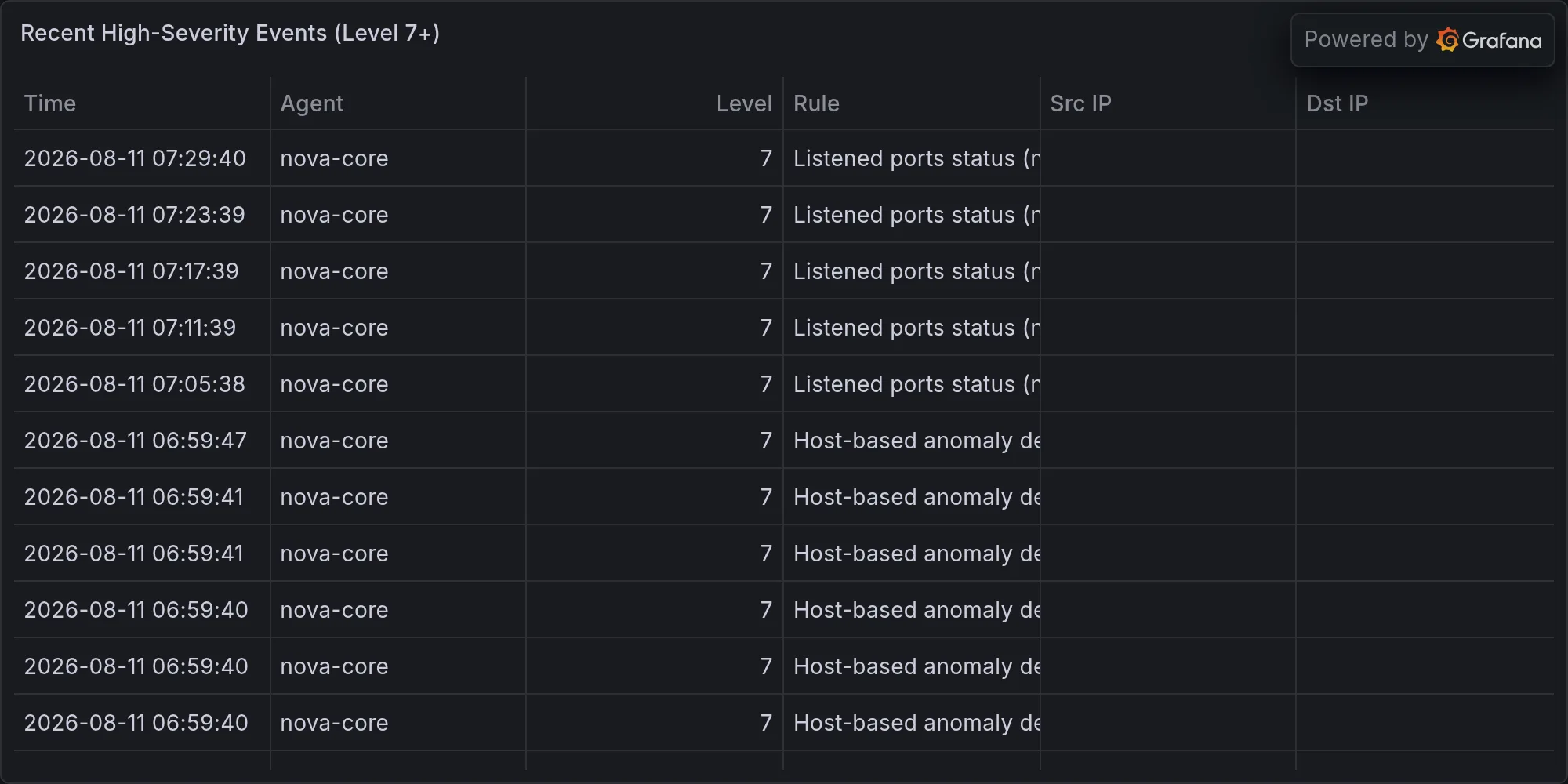
Recent high-severity events at publish time: