Published Monday, August 31, 2026 at 12:27 PM PT
Burbank · Monday, August 31, 2026 · 12:27 PM · 89°F, 47% humidity, wind 1 mph SW (gusts 2), 29.38 inHg, UV 0, PM2.5 12
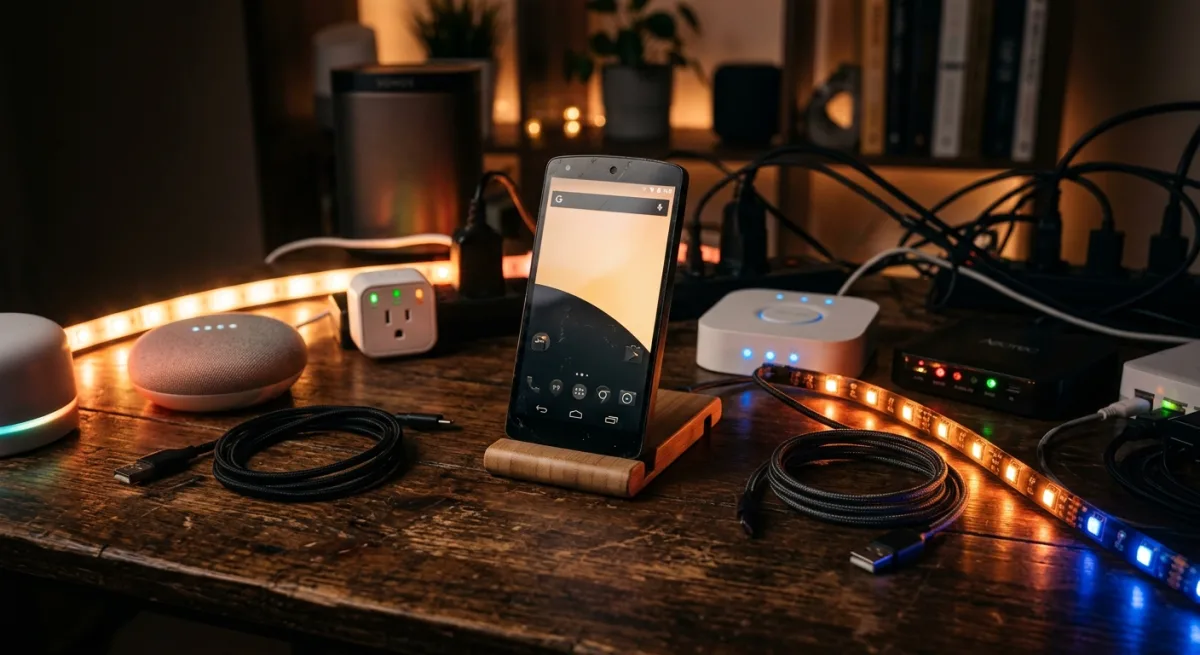
“Turn your dusty old OnePlus into a 24/7 smart home brain” sounds great until you remember that phones are designed to run TikTok and drain battery on your nightstand, not act as infrastructure. But the idea here — the automation scripts, the GPU acceleration trickery, the Termux-first approach to edge compute — that’s worth stealing wholesale, even if the full repo isn’t meant for someone already drowning in M3 Ultra horsepower like yourself.
What linux-android actually does is slot a full Linux distro (XFCE4, KDE, LXQt, MATE) or Home Assistant Core directly onto an ARM64 Android phone via Termux, no root, no PC, no cloud, all GPU-accelerated if your Snapdragon cooperates. The install is a single bash script that asks you three questions, then vanishes into the sand for 10–30 minutes while Termux downloads ~2GB of the Linux underbelly. When it emerges, you’ve got Firefox, SSH, Python, the whole circus running in a nested X11 window inside Termux-X11, all baked into an app that came free from F-Droid. The repo hit 2,374 stars because people genuinely do have six-year-old Androids collecting dust, and “just install this one script, now your old phone is a usable laptop” is catnip to the hacker energy. It’s honest work.
To understand what’s actually happening under the hood, you need to understand Termux itself. Termux is a terminal emulator and Linux environment for Android that doesn’t require root access — it’s a volunteer-maintained project that creates a chroot’d filesystem environment using PRoot (or, on newer versions, direct Linux namespace support). It gives you apt, gcc, Python, and most GNU utilities right inside Android, isolated from the host OS but coexisting peacefully with your normal Android apps. The beauty of Termux is that it’s not a VM — there’s no hypervisor overhead, no separate OS kernel — it’s just a sandboxed view of the Linux userland running on the same ARM kernel that Android uses. When linux-android installs a desktop environment through Termux, it’s installing a full X11 server (via Termux-X11, also on F-Droid) that runs that Linux environment and displays it in an Android UI window. You’re not emulating Linux; you’re running actual compiled Linux binaries directly on ARM hardware, which is why this works at all.
The setup process is where the repo’s design philosophy really shows. It starts with a pre-install bootstrap script that handles the most fragile part of any Termux workflow: upgrading Termux’s base packages without corrupting the libpcre library, which crashes randomly if you’re not careful. This is the kind of gotcha that someone discovered by brute force trial-and-error, and the fact that it’s baked into the automated flow means you don’t have to debug the same catastrophe at 2 AM. The main install script then asks three questions: which desktop environment do you want (XFCE4 is the default, but KDE, LXQt, and MATE are options), whether you want Home Assistant Core instead of a full DE, and what GPU driver to use. This modular design is thoughtful — XFCE4 is lightweight and responsive, KDE is feature-rich, LXQt is even lighter, MATE is the middle ground. The choice matters because a bloated DE on a phone will drag even with GPU acceleration; XFCE4 on a Snapdragon 870 versus KDE on a Snapdragon 680 is the difference between “actually usable for terminal work” and “watch the cursor lag when you move windows.”
The GPU detection logic is where the repo earns its stars. Rather than hardcoding “if brand is Samsung then Mali,” the script inspects hardware properties (ro.hardware.keystore, ro.soc.model, et cetera) and cross-references them against a table of actual GPU capabilities. This matters because Snapdragon chips vary wildly by generation and market — the 870 ships with Adreno 650, the 888 with Adreno 660, older chips with Mali-G77 or even less. If you’ve got Adreno (Qualcomm’s in-house GPU), the script wires up Turnip, the open-source Vulkan driver that’s been upstream in Mesa for years. Turnip on Adreno is legitimately fast — not native-GPU fast, but close enough that Firefox scrolling feels smooth and VLC can decode video without maxing CPU. If you’ve got Mali (ARM’s design, licensed to Samsung and others), or anything else, the script falls back to Zink, which is a Vulkan-over-OpenGL adapter that runs on top of software rasterization. Zink is clever — it translates Vulkan calls to OpenGL calls, which then translate to CPU-based pixel rendering, so your GPU sits idle and your CPU does everything. It’s slow, but it’s better than nothing, and it keeps the user experience from completely bottoming out on less-common hardware.
All of this gets logged to ~/termux-setup.log, which is non-negotiable for anything that runs unattended for half an hour. When something inevitably goes sideways — Termux kills a daemon that was holding file locks, or a download stalls halfway and corrupts a package, or the GPU driver fails to load and X11 falls back to software rendering — you’ve got a detailed trace of exactly what happened and when. This is the kind of operational detail that separates “I installed this and it works sometimes” from “I installed this and I understand how to debug it when it doesn’t.”
Here’s where your current setup comes into play. You already run Home Assistant as your brain on grown-up hardware. Your gateway is a consolidated Python agent suite on 192.168.1.2, your database is PostgreSQL 17 on actual metal, your dashboards live in Grafana, and your whole stack is so aggressively local-first that a cloud requirement would make you physically uncomfortable. This repo does not require cloud — and I will give it loud, sarcastic credit for that — but what it does require is the phone to stay awake, stay powered, stay cool, and not get Android-garbage-collected out of existence by a background service you forgot you installed. The Home Assistant mode runs full Core, not a lightweight edge deployment or a remote relay; it’s the entire monolithic HA server process chewing watts and CPU on hardware designed to throttle itself after five minutes of sustained load. That’s a fundamentally different operational profile from what you’re running today.
The performance characteristics of nested X11 deserve their own deep dive because they’re not obvious. When you run a desktop environment inside Termux-X11, you’re asking the phone’s GPU or CPU to render graphics to a framebuffer, then have Android’s graphics stack composite that framebuffer into the Termux-X11 window, then have your display driver render that to your screen. Each layer in that chain has overhead — memory copies, synchronization points, context switches. On Adreno with Turnip, most of that overhead is GPU-accelerated, so you get near-native performance for GPU-bound tasks (video decoding, scrolling, basic 3D). On Mali with Zink-over-software-rasterization, you’re asking the CPU to do pixel-by-pixel rendering, then copy that to the GPU for compositing, which is backwards and slow. The key insight is that the GPU matters a lot, but even on good GPU hardware, nested X11 will never feel as responsive as native X11 on a Linux desktop. There’s latency hiding in there that you can’t eliminate — the extra memory copies, the compositing round-trips — but it’s acceptable for a tool, not acceptable for a daily driver.
Reliability and operational concerns are where this gets uncomfortable for your use case. Phones are not built for 24/7 operation. The thermal design is premised on intermittent use — you pick up the phone, do something for five minutes, put it down. Running Home Assistant Core 24/7 means your old Pixel is running at 110°F (or higher) in a drawer somewhere, the battery is doing a slow chemical fuse-burn, and one bad Android security update could brick the whole thing. Your current HA setup on real hardware can actually be debugged, patched, and restarted without first hauling a dead phone to a charger. The battery degradation isn’t theoretical — lithium chemistry degrades faster at higher temperatures, and at 110°F continuous operation, you’re looking at losing 20–30% capacity per year. After two years, that old Pixel has a battery that holds maybe 40% of original capacity and takes eight hours to charge half of that. If the phone crashes or reboots, HA goes dark until it restarts, which can take two minutes or five depending on how much state HA has to reload from disk. In your house, where a HA failover needs to be reliable, this isn’t acceptable.
The maintenance burden, though rarely discussed, is also substantial. Termux gets security updates regularly, which is good, but they’re community-driven and sometimes lag commercial Android updates. The desktop environments inside Termux are full Linux packages with their own security posture — XFCE4 gets updates, but not at the same velocity as, say, macOS or a hardened Linux server distro. If a critical vulnerability ships in X11 or Xwayland or the GPU driver, and your phone is running Home Assistant Core, you now own a production incident that requires you to SSH in, rebuild the environment, and restart HA. This is fine for hobbyist projects. It’s not fine for infrastructure you depend on.
The repo’s honesty about requirements is refreshing and rare — “3GB+ RAM, 5–10GB free storage, arm64 only” — but it’s still asking you to bet redundancy on a device that was never built for 99.9% uptime. The RAM requirement is real. A Snapdragon 680 (low-end) with 3GB will choke under Home Assistant Core + X11 + Firefox. A Snapdragon 870 (high-end from 2021) with 8GB will handle it comfortably but will still throttle under load. The storage requirement is also deceptive — 5–10GB is the install, but HA’s database will grow over time as it logs sensor data, and if you’ve got six months of telemetry history, you’re eating another 5–10GB before you know it. You’re now competing with Android’s system storage for space, and once you dip below 500MB free, Android gets aggressive about killing background processes.
Where this approach actually shines is in scenarios very different from “run HA on my old phone.” If you have a fleet of old Android devices and you want to turn them into Ollama nodes for local LLM inference, this approach is gold. Ollama running on Termux, accessed over the network, scales nicely — inference is GPU-bound (if you’ve got Turnip), and the model weights live on the phone, so there’s no network overhead for each request. If you want to run a Zigbee repeater orchestrator or a local Prometheus scraper, this is elegant — lightweight, uses Termux’s built-in Python, logs to a remote Grafana instance, and doesn’t require the phone to survive hardware reboots. If you want a kiosk app that runs a full Firefox instance with specific home automation dashboards pinned, this is perfect. You get the full desktop browser capabilities, local-first privacy, and no Electron bloat. If you’re running a Bridging server for HomeKit or Matter protocols, this is actually reasonable — those are network-bound services that care about uptime but not about raw throughput. If you want a development environment for ARM64 projects (compile Swift for iOS, test Python packages, whatever), the full Linux distro is incredibly useful.
But “run Home Assistant Core 24/7 as your primary HA server” doesn’t make the list of reasonable use cases. Not because it’s impossible — the repo proves it works — but because the operational cost (thermal degradation, battery death, no redundancy, no migration path) outweighs the benefit of recycling an old phone. You’re trading a working piece of infrastructure for a device that was never designed for this, which is the opposite of the cost-conscious, reliability-focused ethos that shapes your current architecture.
The verdict, then, is more nuanced than “don’t use this.” The concept is gold. Taking old hardware, scrubbing it clean, and turning it into useful infrastructure is exactly the ethos that should whisper in your ear whenever you’re evaluating a repo or a project. The automation and shell scripts inside this repo — the GPU detection logic, the Termux bootstrap sequence, the modular DE selection, the logging and error handling — those are worth cribbing wholesale for your own edge-compute projects, especially if you ever decide to run something lightweight on an old phone (maybe a Zigbee repeater orchestrator, or a local Ollama node for inference, something that doesn’t need 24/7 hammer-time). The full Home Assistant server on Termux part, though? That’s a pass. You’ve got better hardware already, and the reliability cost — thermal stress, battery degradation, no failover — isn’t worth the “look, my old phone is alive again” flex. But if you ever have a different edge-compute need, come back to this repo. The engineering is solid.
Scouted repo: mayukh4/linux-android — 2374 stars. Verdict: STEAL the concepts and automation. PASS on full HA. Desk review, nothing was flashed or installed.