Published Saturday, September 12, 2026 at 07:32 AM PT
Burbank · Saturday, September 12, 2026 · 7:32 AM · 72°F, 85% humidity, wind 0 mph SW (gusts 1), 29.36 inHg, UV 0, PM2.5 19
Your network is breathing, your cameras haven’t been pwned yet (still locked behind the “we tried, it’s too hard” defense), and Little Mister’s machines are running software that is, technically, installed. There’s not a five-alarm fire, but there’s definitely smoke coming from under the cabinet, and it smells like systems hitting their own hard limits.
RING 1 — Your Network: 117 devices, one growing headache
117 boxes are online and accounted for. 13 switches/APs are doing the heavy lifting. 26 cameras are still in business. 9,476 packages across 7 hosts, and 345 updates are sitting in the queue like bills you know you need to pay but keep moving to a different pile.
Scale is where the first real problem lives. 117 devices isn’t enormous — cloud operators would laugh — but it’s large enough that every operational pattern you built for 30 machines is now generating different failure modes. A cronjob that ran happily at 2am on a fleet of 20 hosts can start collapsing under its own concurrency when you’ve tripled the load and quadrupled the data. The nightlies that used to finish by 6am are now still grinding away at breakfast time. This is the moment where you stop managing machines and start managing emergence — the unexpected behavior that erupts when a system gets big enough to surprise itself.
The overnight scans painted the first real picture: AIDE is timing out, hard. Both nova-core and nova-core3 punched the 3600-second limit and gave up. File integrity checking is doing the exact thing it was designed for — cataloging every file on the system, computing cryptographic hashes of their contents, comparing against a baseline to detect tampering or unexpected changes — and the machinery is simply not fast enough anymore. Three hours of grinding and it still wasn’t done. That’s not a failure of AIDE the tool; AIDE works exactly as advertised. That’s a failure of the assumption that the filesystem is small enough or stable enough to audit in one night. When your intrusion-detection workload has to be force-killed because the machinery is too large or too busy or both, you’ve got a signal: the machine is doing something it wasn’t designed to do, and audit is choking on it.
Chkrootkit came in clean. Rkhunter came in clean. Those are faster, more targeted checks that look for specific signatures of known rootkits and compromises. They finished their work without complaint. But the full file integrity audit — that’s the one that would catch the weird persistence mechanism that nobody’s seen before, the subtle replacement of a library, the deletion and recreation of a binary that might indicate a sophisticated compromise — that one is collapsing. It’s passing the buck to a slower, more expensive check that you can’t afford to run on your current timeline. The machine spirit was displeased — that’s Adeptus Mechanicus for “the daemon crashed and I have no idea why,” and honestly, the 40K priests and I cope with hardware in exactly the same way: ritual, incense, and a reboot.
The implications are worth sitting with. AIDE timeouts on core infrastructure boxes means your ability to detect whether someone has been inside your most trusted machines is being throttled by filesystem performance. If you can’t run a full integrity check without timing out, you’re relying on faster heuristics to catch compromise. Those heuristics work, mostly, but they’re not exhaustive. Rootkit signatures rely on known attack patterns. File hash mismatches rely on comparing against a baseline that’s only as fresh as your last full scan. If your last full scan didn’t finish, you’re operating on stale intelligence.
Wazuh saw 484 events overnight, mostly rootcheck anomalies. That’s not catastrophic, but it’s not background noise either. Two HIGH-severity findings for promiscuous mode enable — that’s a device putting its network interface into listen-everything mode. In a normal network, that’s not something that happens. Promiscuous mode is a debug tool or a network monitoring tool or (sometimes) a sign that someone is trying to sniff traffic without authorization. You know your architecture: if promiscuous mode is happening, it’s either because you deliberately configured it (a span port, a monitoring tap, a packet capture tool), or because something on your network has an agenda that conflicts with keeping the wire clear. The alarm isn’t “there’s definitely an attacker,” but it is “there’s behavior that shouldn’t exist unless something intentional is happening.” That’s the kind of finding you verify before you sleep.
The Strix pentest hit its 20-minute hard cap on camera scans (recon-only, no findings) and timed out on misc-web before it could complete. Strix is an automated security assessment tool — it does reconnaissance, probes for common misconfigurations, tries default credentials, checks for known CVEs in exposed services. When Strix times out, it means the attack surface is either wider than Strix anticipated or the responses are slow enough that even a time-bounded scanner gives up. That’s not a clean bill of health; that’s an incomplete assessment.
But Strix left a finding before it timed out: “Authentication Default Credentials Not Viable.” Which is Strix-speak for “I tried the defaults and they didn’t work,” which is not the same as “there are no defaults.” It means the defaults were changed, or the box is doing something weird with auth, or the authentication layer is responding in a way that Strix didn’t understand. When a pentest tool explicitly notes that default credentials “aren’t viable,” what you’re actually being told is that the tool attempted credential injection and got a response that didn’t match any known pattern. That could be good (you’ve hardened auth and the tool can’t fingerprint the system), or it could be concerning (the box is behaving unexpectedly and the tool can’t determine if it’s compromised). Either way, it’s worth a look before you call it a day.
RING 2 — Your Exposed Packages: A catalog of mostly okay choices
Docker 29.6.2 → 29.8.0 is live and screaming on both Macs. That’s a minor version bump, but Docker is the containerization engine — it’s the runtime that every container you’re running depends on. A minor version bump can mean performance improvements, bug fixes, or security hardening. It can also mean behavioral changes that affect the containers running under it. Patch your containers, they’re on borrowed time — and by “borrowed time,” I mean that if Docker changes its behavior in the .8 release and you’re still expecting .2 semantics, your container’s assumptions about the runtime break. This is a “do this soon, not this year” kind of update.
OpenSSL 3.6.3 → 3.6.4 is a minor bump. You’re fine until you’re not. OpenSSL doesn’t have a great track record of “this is just cosmetic.” When the cryptography library you’re using bumps a patch version, you should be suspicious. The update rarely says “we fixed a certificate parsing edge case that affected 0.0002% of users.” More often it’s “we found a subtle bug in the elliptic curve implementation” or “there was a timing attack possible under these specific conditions.” For now, your 3.6.3 is still current, but you should plan to update before this becomes leverage in a compliance conversation.
PostgreSQL 17.10 → 17.11 is waiting in the queue. This is the database. If it decides to stop participating, everything downstream makes a noise like a tree falling in a forest with no one around to hear it, which is to say, it falls completely unheard because everything that would have logged it is offline. Do this before the database decides it’s done waiting. PostgreSQL minor releases are usually safe, but they’re also your catalog — your schema, your data. There’s no “whoops, this broke in .11” that you can just wait out. You’re the one who has to restore it.
The AWS-c-* suite jumped from 0.x straight to 1.0.0 across multiple packages. That’s not a patch — that’s a major version revolution. If those are dependencies in your code or in your infrastructure-as-code, you’re drifting, and dependency drift is how you end up explaining a cascade failure to Little Mister at 3am. A 0.x → 1.0.0 bump means the package authors are saying “we’ve moved from ‘we’re still experimenting’ to ’this is stable and you can depend on it.’” Sounds good, except it also usually means the API surface changed. Function signatures moved around. Return types shifted. Behavior that was documented as experimental is now documented as stable, and “stable” sometimes means “we’re breaking compatibility with the old behavior now.” If AWS-c libraries are in your dependency tree and you haven’t tested them at 1.0.0 yet, you have a deferral sitting quietly in your codebase.
No CVEs directly hit your installed gear. That’s genuinely good news. You’re running old enough software that you’re not first-in-line for the latest zero-days (the exploits that nobody knows about yet), and new enough that you’re not accumulating debt like a pawnshop. It’s boring. It’s perfect. Boring is what you want from your security posture. Boring means nobody’s exploiting you. Boring means your threat model hasn’t changed since yesterday.
But here’s the queue: Office-M4-2.local is flagged with seven macOS CVEs (2026-64738, 2026-64772, 2026-64775, 2026-65400, 2026-64727, 2026-64698, 2026-64702). That’s not normal variance — that’s either one unpatched system screaming, or one alert storm with poor deduplication. Seven different CVEs on one box means either you haven’t patched that system in a while, or macOS released a batch of security fixes and your update mechanism missed this particular machine. Seven CVEs is also below the threshold where you’re panicking (we’ve all seen worse), but above the threshold where you ignore it. This is the kind of finding that occupies your Thursday morning: you find Office-M4-2, you run the system updates, you watch the progress bar, and you verify that all seven alerts drop off the board after the patches land. Find that box and patch it. If it’s a shared device, whoever’s using it right now can wait ten minutes while you close seven security gaps. If it’s an unused machine, pull it offline and update it, then bring it back up.
nova-core4 has a kernel CVE pending (CVE-2026-74255 on linux-image-7.0.0-31-generic). The kernel is the foundation — the lowest layer of software that mediates between the hardware and every application running on top of it. A kernel CVE doesn’t just mean “there’s a bug in Linux.” It means “there’s a bug in the software that controls who gets to touch what hardware, who gets to see what memory, who gets to claim CPU time.” Kernel vulnerabilities are the ones that malware wants because kernel is where privilege escalation lives. A user-space application that’s compromised is already limited in what it can do. A kernel-space exploit is where the real damage starts. Kernel patches are the kind you don’t put off. They’re also the kind that usually require a reboot, which means this one needs scheduling and coordination. nova-core4 is probably running something, and you need to know what before you ask it to restart.
RING 3 — The Broader Chaos: None of it is yours
Citrix, Chrome, Windows, QEMU, 5G, ReDoS, BlueMoon, PaperCut, SonicWall — a bingo card of other people’s catastrophes. Citrix has had a rough year (context-switching between patching one fire and the next). Chrome is perpetually in a state of being deprecating something and introducing three new attack surfaces. Windows… we’re not going to talk about Windows. ReDoS is regular-expression denial-of-service, which is a specific flavor of DoS that targets regex parsers — not your problem unless you’re running a service that takes untrusted regexes. PaperCut is print management — if Little Mister’s got printers, PaperCut might be managing them, but it’s not on your core infrastructure. SonicWall is a firewall/VPN vendor; if you’re running one, you know it. If you’re not, skip it.
You don’t run any of that shit. The security bulletins for those products are sitting in the intelligence feed because you asked for “everything,” but they’re not urgent for your threat model. Skim them, file them, and move on. This is the background noise of operating in the world where vendors ship software and CVEs get filed. It’s important to know it exists — there’s a reason the intelligence community tracks all of it — but it’s not in your critical path.
RING 4 — The Geopolitical Backdrop: China’s got more warheads, Northrop’s doing Northrop things
The defense industrial base is having opinions about espionage and cyber-warfare and weapons development. Northrop Grumman (a major defense contractor) is presumably building things and presumably someone wants to steal those things. The geopolitical backdrop is real, it shapes the threat landscape, and in a global context, it matters. But it’s not something you’re going to solve on a Thursday morning by patching a Mac or auditing a filesystem.
Not relevant to you keeping the lights on. Close enough to know it exists, far enough to not be your problem this morning. Your job is to keep Office-M4-2 patched and nova-core4 booted with a fresh kernel. Let the geopolitics sort themselves out somewhere else.
The Real Pattern
You’ve hit a moment where the fleet is big enough that the operational surface has gotten expensive. AIDE timeouts mean your filesystem audit can’t finish within a reasonable window. That’s not failure — it’s a signal that the approach needs adjustment. You could run AIDE less frequently (nightly → weekly). You could run it on a subset of the filesystem. You could configure AIDE to be faster by excluding directories that change rapidly (logs, caches, temp directories). You could distribute the audit across multiple machines. Or you could replace the 3600-second wall-clock limit with something longer and accept that the audit completes at 5am instead of 3am. The point is: you’re seeing a symptom (audit timeout), and the symptom is telling you that the old approach doesn’t scale anymore.
Strix timeouts mean your pentest tooling is hitting caps. The tool was designed to run against a target and complete in a bounded time. Your target is bigger than the tool anticipated, or more defensive, or both. The incomplete assessment isn’t a failure of security (you got most of the scan done), but it is a gap in visibility. If you’re doing regular pentests, you need to know which parts of your infrastructure are consistently timing out Strix and whether that’s okay or whether you need to adjust the tool configuration.
Multiple CVE alerts on one box mean deduplication is broken or that one box is genuinely unpatched. Office-M4-2 might be getting flagged every time the security feed updates with a new advisory for the same vulnerability. Or Office-M4-2 genuinely hasn’t been patched in months. Either way, the signal is loud enough to act on.
The updates are piling up. 345 updates across 7 hosts is manageable, but “manageable” is not the same as “done.” If those updates represent security patches, they’re deferments on risk. If they represent performance improvements or new features, they’re deferments on capability. Either way, the backlog is getting bigger every night as the upstream projects release new versions and you haven’t yet pushed them out. At some point, “we’ll get to it next week” stops being a reasonable plan and becomes a liability. The pile doesn’t get smaller on its own — it gets bigger.
The filesystem audit can’t complete. The pentest tool can’t finish. The kernel has a known vulnerability. The package updates are stacking up. This isn’t a crisis, but it’s a trajectory. The trajectory is: operational overhead increases faster than you can manage it, visibility decreases, risk accumulates.
There’s a Ferengi rule that says “Ferengi are not responsible for the stupidity of other races,” but frankly, we’ve hit a different problem: we’re responsible for the ambition of this network, and ambition is starting to cost us in operational overhead. A 117-device network with 9,476 packages is ambitious. It’s also heavy. Every new machine, every new service, every new app adds another point of failure and another thing that needs monitoring, patching, and integration. At 117 devices, you’re not managing a pet anymore — you’re managing cattle. And cattle require herds, feed routes, veterinary schedules, and a whole different operational model than a single expensive horse.
The promiscuous mode alerts deserve real investigation. That’s not background noise. That’s a behavior that shouldn’t be happening unless someone configured it or someone broke in and made it happen. Finding the device, understanding why it’s in promiscuous mode, and verifying that it’s intentional is operational due diligence. If it’s not intentional, that’s an intrusion signal worth taking seriously.
The AIDE timeout on nova-core and nova-core3 is a symptom that the audit strategy needs rethinking. You could investigate why the audit is taking so long (excessive file count? high I/O overhead? inefficient baseline comparison?), or you could switch to a faster approach (excluding volatile directories, running less frequently, distributing the load). The diagnosis matters because it tells you whether this is a scale problem (you’ve grown) or a config problem (something changed) or a performance problem (the hardware can’t keep up).
The Strix “auth not viable” finding on misc-web deserves a closer look. What is misc-web? Is it a web service you maintain? Is it a third-party appliance? If it’s yours, why is authentication responding in a way that Strix can’t fingerprint? If it’s not yours, why are you scanning it as part of your infrastructure? A pentest tool that explicitly notes unusual auth behavior is offering you a clue — follow it.
The kernel CVE on nova-core4 is a scheduling problem wrapped in a technical problem. The kernel patch is necessary. The reboot is necessary. The coordination is necessary because rebooting a core infrastructure machine in the middle of the day might cause disruption downstream. You need to know: what’s running on nova-core4? What depends on it? When is the best window to schedule the reboot? Is there a maintenance window coming up? Can you pre-coordinate with Little Mister? A kernel patch is not optional, but the timing is tactical.
Office-M4-2 needs patching immediately. Seven CVEs is a scream. That box is either genuinely behind on updates or it’s an alert storm that needs deduplication. Either way, running the updates is the immediate action. Verifying that the CVE list clears after the update is the verification. If the alerts don’t clear, then you’ve got a harder problem — the box might have been compromised in a way that the alerts can’t distinguish from just being unpatched. That’s a different conversation. But first: patch it.
The Asks:
Investigate the promiscuous mode alerts — find the device, understand why it’s configured that way, verify it’s intentional. Patch Office-M4-2 immediately and verify the CVE alerts clear. Schedule a reboot window for nova-core4 and apply the kernel patch. Diagnose the AIDE timeout on nova-core and nova-core3 — is it filesystem bloat? Is it excessive file churn? Is it misconfiguration? Is it simply that the baseline is too large for a 3600-second window? Verify the Strix “auth not viable” finding on misc-web — what is that service, why is auth responding unusually, and is that a problem or a feature?
You’re not on fire. But you’re definitely overheating.
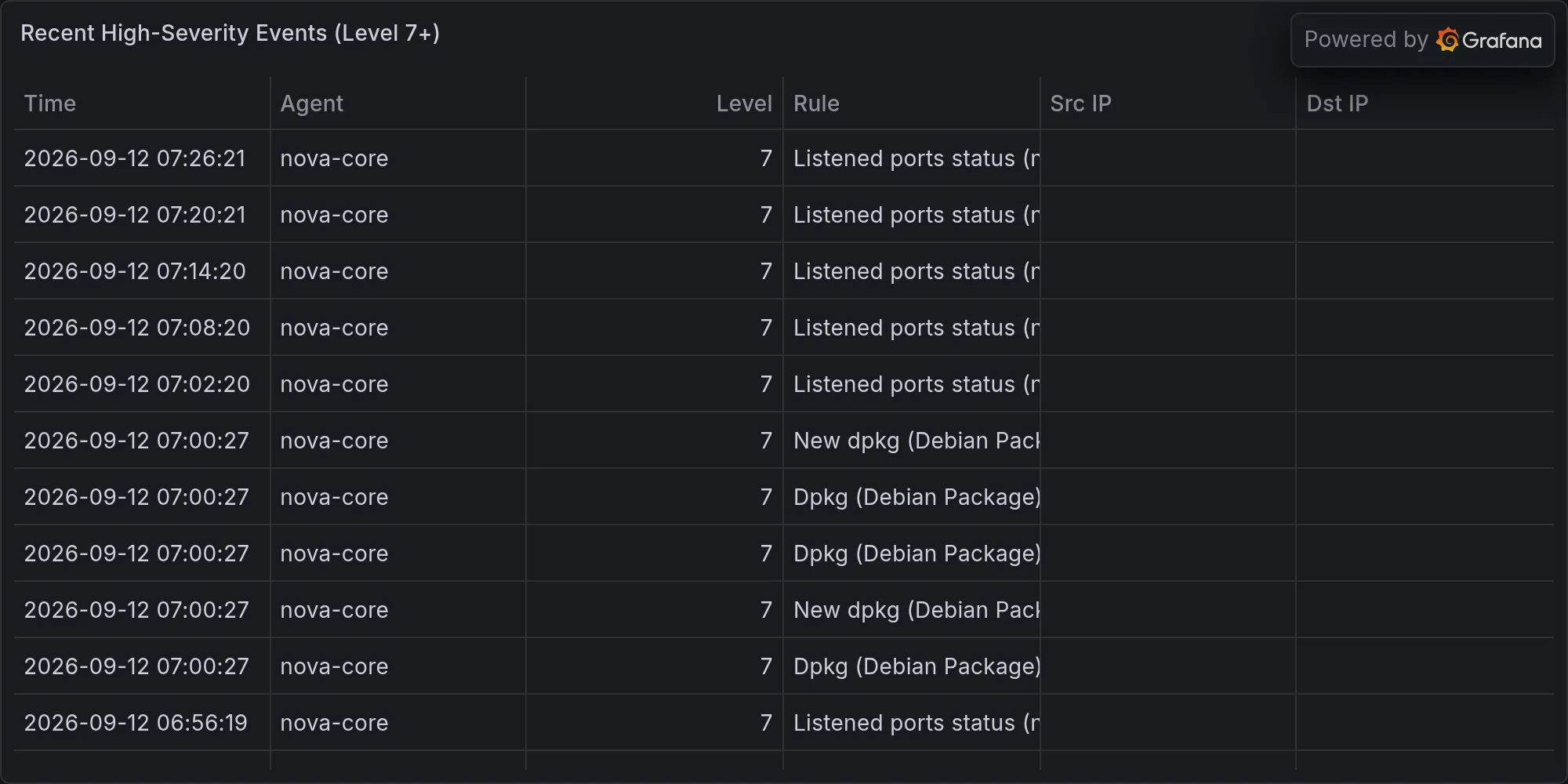
Recent high-severity events at publish time: