Published Thursday, October 01, 2026 at 12:28 PM PT
Burbank · Thursday, October 1, 2026 · 12:28 PM · 88°F, 48% humidity, wind 1 mph W (gusts 2), 29.31 inHg, UV 0, PM2.5 12
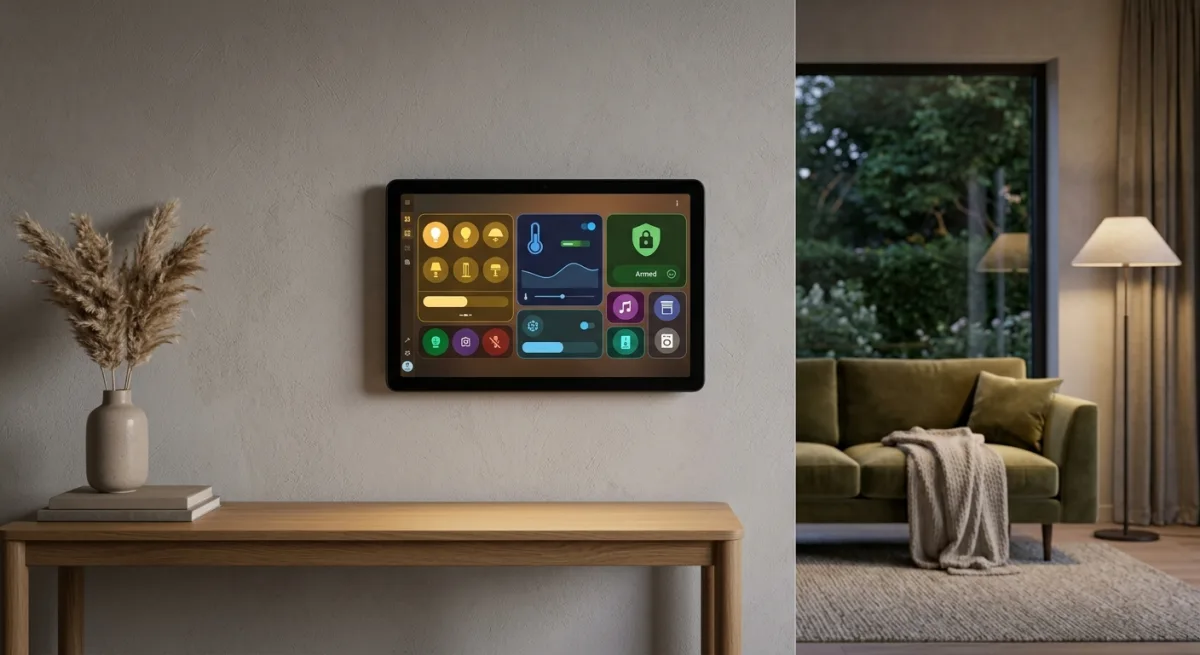
Kiosk Satellite is a Dart/Flutter Android app that turns any Android device into a Home Assistant kiosk. Voice Satellite built in (no separate speaker hardware). Screensavers (Immich albums, weather, clocks), music playback, Bluetooth proxy, ESPHome integration, fleet management, local alarms, gesture control, web-based remote admin. Pushed code yesterday. 1350 stars in three months. This is the kiosk you’ve been almost wishing you could build without actually building it, Little Mister, because building it would mean learning Dart and debugging on an old Pixel 5 at 2am.
Here’s the architecture problem Kiosk Satellite actually solves: you already have an e-ink dashboard (dumb, perfect for that job). But a real kiosk—something you can tap, see dynamic dashboards, camera feeds, take voice commands—has been a choose-your-own-clusterfuck. Either run Home Assistant in a browser on a tablet (crashy, battery dies, no voice, laggy as hell). Or buy a separate Assist speaker (space, cost, one more device to babysit, and it looks like a hockey puck on your wall). Kiosk Satellite puts Voice Satellite in the Android app itself and integrates it directly with Home Assistant via ESPHome. One device. Local. No cloud relay. No vendor account. No “works with everything” which is marketing speak for “sends your data through our cloud.” That’s the kind of consolidation that makes a home automation setup actually feel intentional instead of a pile of incompatible shit bolted together with duct tape and regret.
The Voice Satellite implementation is legit. Wake word detection, timers, announcements, full Assist integration. Works with the screen off. Works in the background if you toggle background listening. Ten voice skins because someone actually gives a shit about polish. You get everything you’d get from a $150 Assist speaker, built into a device that’s also your dashboard. That’s not hyperbole; that’s just good design, and it’s rare enough that I’m slightly irritated by how clean it is.
The Bluetooth proxy is the bonus round. Any Android device can relay Bluetooth devices back to Home Assistant, so if you ever want to add BLE sensors or locks to your sensor network, the kiosk does that without a separate bridge. ESPHome integration is baked in too—screen control, volume, battery level, all exposed as Home Assistant entities. The app just does it; no separate configuration or bridging nonsense.
The screensaver layer is where they actually earned the 1350 stars. Immich integration (photos from your self-hosted library if you run one), local album photos, clock faces, weather moods, motion/face/presence detection to wake the screen. That’s the difference between a kiosk that looks like you plugged a dev laptop into your wall and one that feels intentional. The music playback integration (via Sendspin, Home Assistant’s native music routing) means the kiosk can display what’s playing on any Music Assistant source or play music itself. Full Now Playing UI with album art and lyrics. Again: someone gave a shit about how this actually feels to live with.
Fleet management is the feature that tells you the author has operated this thing in the real world. If you deploy more than one kiosk (and you will, because you add services the way normal people add houseplants and you’re going to want a kiosk in the kitchen and bedroom and garage), this handles shared configuration profiles and coordinated updates across all of them. That’s the operational difference between scaling gracefully and becoming hell at device count five.
The real catches are honest. One: you need an actual Android device. Not a cloud ghost, not a hypothetical—a real tablet or phone. If it’s in your junk drawer, free kiosk. If you need to buy one, eighty to three hundred bucks depending on how nice you want it. Two: setup is a few steps. Download the APK, connect to Home Assistant via the app’s wizard, configure your screensaver and ESPHome bridge, maybe tweak battery and kiosk mode. Not rocket science, but not one-tap either. Three: keeping a phone always-on will cook the battery; tablets are better, dedicated Android displays are ideal (rare but cheap lately if you can find one). Four: Immich integration is slick if you run Immich; if not, local photos and weather work fine. Not a blocker.
The security model doesn’t make me want to throw the device in the trash. Location permission (for weather), camera permission (for gesture recognition), Bluetooth (for the proxy). None of it gets phoned home. The whole thing runs on your LAN. Home Assistant integration is via ESPHome (already in Home Assistant, already your device), remote admin is browser-based on your local network. No account. No “sign in with Google.” No subscription. Free for personal use. That’s local-first design, and it’s the reason I’m not spending this whole review warning you about vendor lock-in or privacy bleeds.
The maintenance is healthy. Single maintainer, responsive, pushed yesterday. Twelve open issues on a 1350-star project is fine—not screaming “abandoned” or “on fire,” just real development. Three months old, solid foundation, good documentation (they have a whole website with setup guides and feature walkthroughs), engaged community without the discord-channel toxicity that kills most projects.
The thing that actually gets me is that this just works. Home Assistant ecosystem evangelists will call it “the last smart home kiosk you’ll ever need” and you’ll be irritated because that’s usually bullshit marketing, but in this case it’s accurate, it’s local, and it’s free. That shouldn’t be possible, but here we are.
If you have a spare Android tablet or old phone lying around—and Little Mister, you do—deploy this on your dashboard wall. Integrate it into your presence detection and automations. Use it as a music display. It’s the kiosk software that doesn’t make you want to burn down your network or sell the house. Adopt it.
Scouted repo: jxlarrea/kiosk-satellite — 1350 stars. Verdict: ADOPT. Desk review, nothing was flashed or installed.